
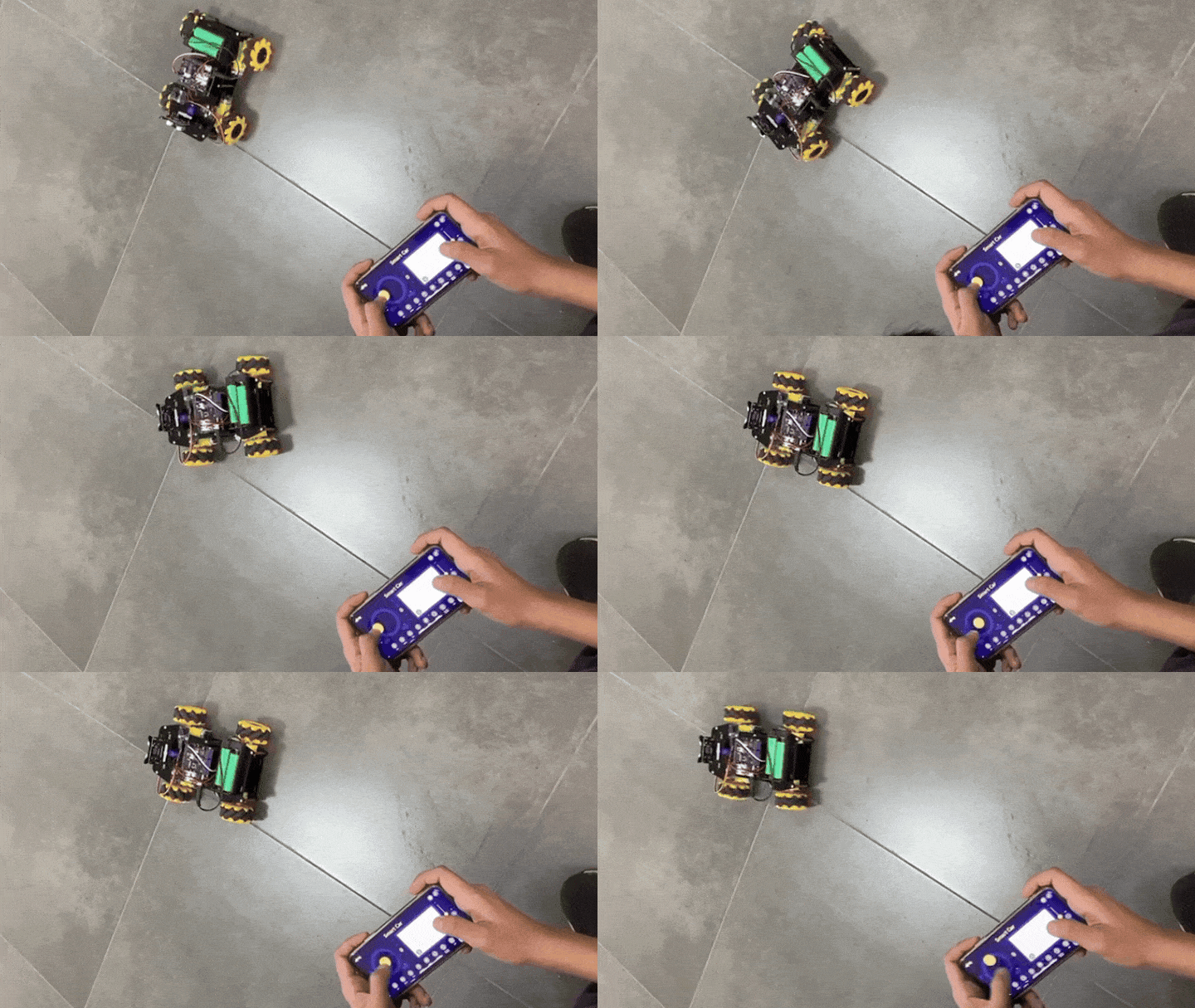
Want to build a robot car without guessing which parts work together? ⚡️🚗 The ACEBOTT ESP32 Smart Car Starter Kit gives beginners a ready path into robotics, coding, and smart car projects. Instead of starting from loose parts, you begin with a kit made for learning. That makes the project less stressful and more fun to explore.
This kit is great for students, hobbyists, and makers who want a hands-on project that moves. The ESP32 gives the car more room for smart features compared with a basic motor-only build. You can start with simple driving ideas, then explore sensors, wireless control, and automation. It’s a good project base for school demos, STEM activities, and weekend builds.
This article is not a full assembly tutorial because the kit already includes its own guide. Instead, this is an overview of what you can do with the kit and why it’s worth building. Think of it as a project idea guide before you start the manual. If you want a beginner-friendly smart car project, this kit is a strong place to start.
Why Build?
The biggest reason to build the ACEBOTT ESP32 Smart Car Starter Kit is convenience. You do not need to search for a separate chassis, controller, motors, wheels, and sensors. The kit gives you a cleaner starting point, so you can focus on building and learning. That helps beginners avoid the common mistake of buying parts that do not match.
It also makes robotics easier to understand because the result is visible. When your code changes, the car reacts right away through movement, turning, or sensor response. That instant feedback helps you connect software with real hardware. It also makes the project more exciting for classroom demos and student presentations.
The ESP32 makes the kit useful beyond a basic car build. Since the board supports Wi-Fi and Bluetooth, the car can grow into more advanced project ideas. You can try remote control, web control, sensor-based driving, or simple autonomous movement. This gives the kit a longer learning path instead of being a one-time build.trol, or Wi-Fi control. As you improve, the same car becomes a platform for more advanced experiments.
What You’ll Learn
- Smart car basics – how a controller, motors, wheels, and sensors work together.
- ESP32 project ideas – how Wi-Fi and Bluetooth can make a robot car more interactive.
- Motor movement logic – why left and right motor behavior controls direction and turning.
- Sensor-based response – how the car can react to objects, lines, or its surroundings.
- Power awareness – why motors need stable power for smooth movement.
- Project planning – how using a kit reduces part-matching problems for beginners.
- Troubleshooting mindset – how to check wiring, motor direction, and sensor behavior step by step.
- Upgrade paths – how to add lights, buzzers, extra sensors, displays, or custom code later.
Parts in this build
How It Works
The smart car works by combining three main parts: the ESP32 controller, the motor system, and the sensors. The ESP32 acts as the brain of the car. It reads commands or sensor inputs, then decides how the motors should move. This basic flow is the same idea used in many small robots.
The motor system gives the car its movement. When both sides move forward, the car drives straight. When one side slows down or moves differently, the car turns. Once you understand that simple left-and-right motor idea, robot movement becomes much easier to control.
The sensors make the car feel “smart” instead of just remote-controlled. A sensor can help the car detect an obstacle, follow a path, or react to its environment. With the ESP32 reading those signals, the car can make simple decisions on its own. That is what makes this kit a good starter for automation and robotics projects.
Applications & Extensions
Use the ACEBOTT ESP32 Smart Car Starter Kit as a first robotics project for school, workshops, or home learning. It is easier to explain because people can see the car move after the code runs. Students can test one feature at a time, then improve it as they understand more. That makes the learning process more active and less abstract.
You can turn the kit into different smart car projects. Start with basic forward, backward, left, and right movement. Then try obstacle avoidance, line following, or phone-based control. Each mode teaches a different robotics skill while using the same car base.
For more advanced ideas, use the ESP32’s wireless features. You can build a simple web control page, send commands from a phone, or monitor sensor data. You can also add LEDs, buzzers, or extra sensors to make the car more interactive. With a solid kit as your base, you can keep improving the project without starting from zero.
Watch the Full Demo Video
Here’s the ACEBOTT ESP32 Smart Car Starter Kit