
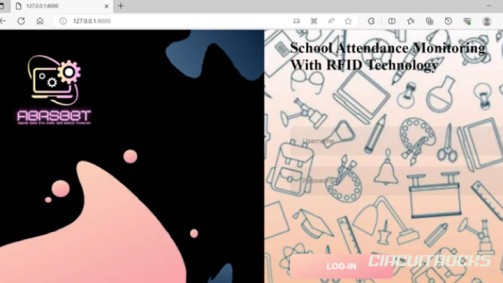
An RFID card can be used as a smart ID card for school attendance and access monitoring. 🔐👮Instead of using a normal ID only for visual identification, the card can also hold a unique RFID value that the system can recognize. When a student, teacher, staff member, or visitor taps the card near the RFID reader, the system can check the card and connect it to a registered profile.
This project idea is useful for schools that want a faster and cleaner way to monitor people entering and leaving the campus. Manual logbooks can still work, but they can be slow, hard to manage, and prone to missing or incorrect records. With RFID, the process becomes more organized because every tap can create a digital record. The system can also include the date and time, making attendance tracking easier to review.
The main purpose of this project is to show how an RFID card can become more than an accessory. It can serve as an ID, attendance key, and access pass in one system. This makes the idea strong for capstone projects because it connects real school needs with practical technology. It also gives readers a clear project direction that is easy to understand and demonstrate.
Why Build?
This project is worth building because attendance checking is a common school task that can be improved with automation. In a busy school entrance, students and staff may enter at the same time, making manual checking harder to manage. An RFID card system helps speed up the process because users only need to tap their card. The system can then record the attendance without writing everything by hand.
It also helps improve school monitoring. Since each card is connected to a specific registered user, the system can identify who entered or exited the premises. This gives the school a clearer record of student, teacher, staff, and visitor movement. If the system includes access control, it can also help block unregistered cards from being accepted.
Another reason to build this project is that it combines both hardware and software. The RFID reader and Arduino handle the scanning and control side, while the database or dashboard handles the user records. This makes the project more complete than a simple RFID test. It shows how electronics, programming, and record management can work together in one practical system.
This project also has strong presentation value. A user can tap an RFID ID card, and the system can immediately show a response. It can display the user’s information, record the time, trigger a buzzer, or open a gate mechanism. Because the output is clear, viewers can quickly understand how the system works and why it is useful.
What You’ll Learn
- How an RFID card can work as a smart school ID.
- How an RFID reader scans the card’s unique value.How a system can match an RFID card to a registered user profile.
- How students, teachers, staff, and visitors can have separate records.
- How time-in and time-out logs can support attendance monitoring.
- How Arduino can act as the controller for RFID-based access.
- How a database can store user details and attendance history.
- How a web dashboard can help admins manage records.How a buzzer, display, LED, or gate can show system feedback.
- How RFID can reduce manual attendance work.
- How access control can help prevent unauthorized entry.How this concept can grow into a full school monitoring system.
What You'll Need
How It Works
The system begins by registering each RFID card. The admin records the card’s unique ID and links it to a person’s profile. That profile may belong to a student, teacher, staff member, or visitor. Once the card is registered, the system can recognize that card during scanning.
When the user arrives at the entrance, they tap the RFID card near the reader. The reader captures the card information and sends it to the controller. The controller then checks if the scanned card exists in the registered records. If the card is valid, the system accepts the transaction.
After accepting the RFID card, the system records the attendance details. It can save the date, time, and user information in the database. This makes the record easier to search, view, and manage compared with a manual logbook. Admins can later check who entered, who exited, and when the transaction happened.
The system can also include an access response. For a valid card, it can show an approved message, sound a buzzer, or open a small gate or boom barrier. For an invalid card, it can deny access and keep the gate closed. This turns the RFID ID card into both an attendance tool and a security tool.
The project can also include a web-based monitoring side. Through the dashboard, admins can add new users, update profiles, delete old records, and view attendance logs. This makes the project more useful because the data is not only scanned but also organized. The hardware handles the card reading, while the software handles the monitoring and record management.
Applications and Extensions
School Attendance System
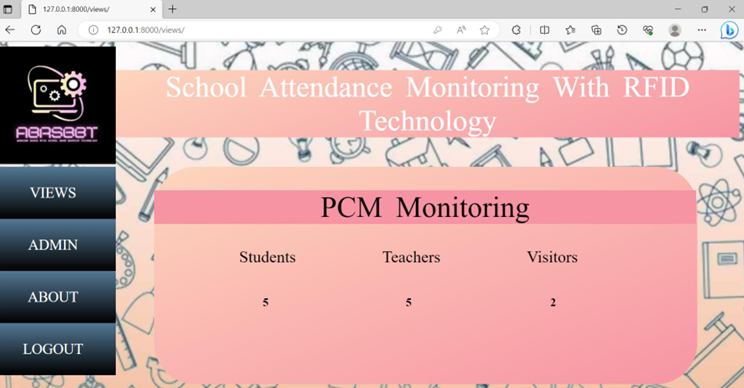
The most direct use is student attendance monitoring. Students can tap their RFID cards when they enter the school. The system can save the date and time automatically. This helps reduce manual work for teachers or guards.
The school can also use the records for daily reports. Admins can check who arrived, who missed attendance, and who entered late. This gives the school a more organized record system.
Teacher and Staff Time Records
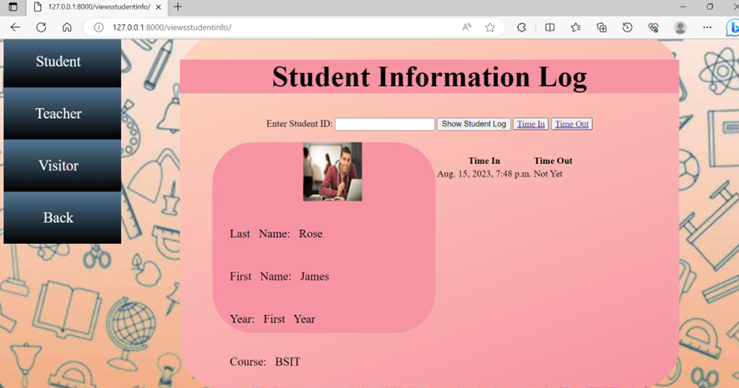
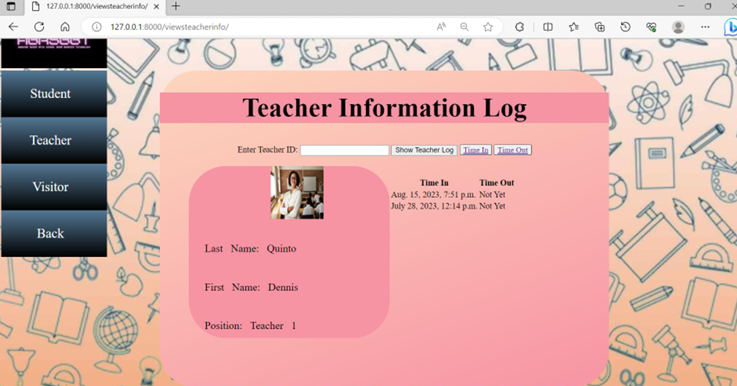
The same RFID card idea can work for teachers and staff. They can use their cards for time-in and time-out. The system can separate staff logs from student logs.
This makes the project useful beyond student attendance. It can help schools manage employee records too. It also gives the project more real-world value.
Visitor Monitoring
Schools can also use RFID cards for visitors. A guard or admin can give a temporary RFID card to a visitor. The system can record when the visitor enters and leaves.
This helps the school keep a clearer visitor history. It also supports safety because the school knows who entered the premises. Visitor records can include name, purpose, and time of visit.
Gate or Boom Barrier Control
A more advanced version can connect the RFID system to a gate or boom barrier. When a valid RFID card gets scanned, the barrier opens. When the card is invalid, the barrier stays closed.
This setup works well for entrance demos. It shows both software checking and physical movement. It also makes the project more impressive during a capstone presentation.
Admin Dashboard
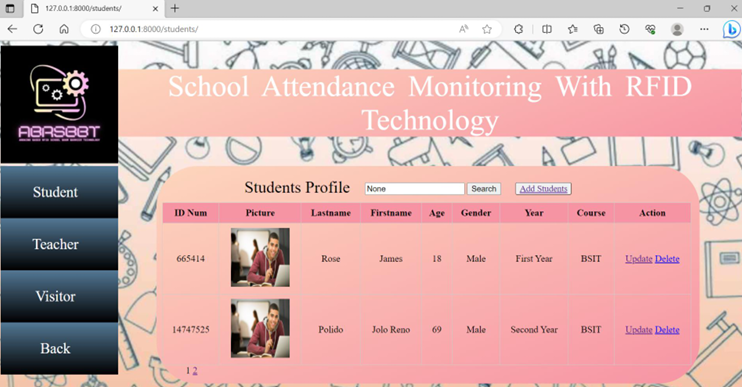
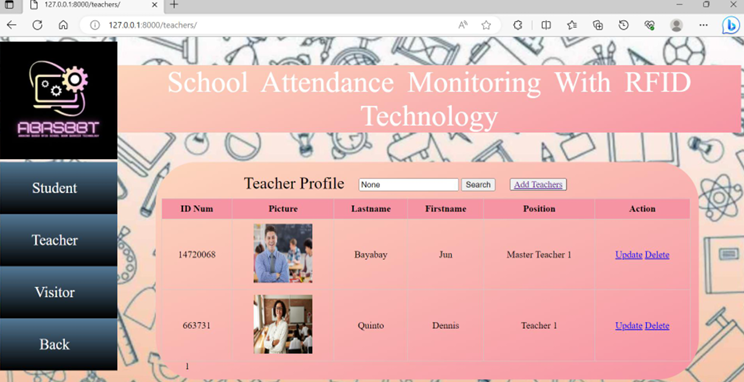
An admin dashboard can make the project more complete. The dashboard can let admins add, update, and delete users. It can also show attendance logs and user profiles.
This helps make the system easier to manage. The hardware handles the card scanning. The dashboard handles records and monitoring.
SMS or Email Alerts
The project can also include alerts. For example, the system can send a message when a student enters the school. This can help parents or guardians feel more informed.
Alerts can also help admins notice unusual activity. If an unknown card gets scanned, the system can send a warning. This upgrade can make the project stronger.
Backup PIN Option
Some users may forget their RFID card. A backup PIN can help in that situation. The system can allow a user to enter a PIN after verification.
This makes the system more flexible. However, admins should manage backup access carefully. A weak backup method can reduce security.
Role-Based Access
A strong extension is role-based access. Students, teachers, staff, and visitors can have different permissions. For example, students can access the main gate, while staff can access offices.
This makes the RFID card more powerful. It becomes more than an attendance card. It becomes a controlled access pass.
Watch the Full Demo Video
Here’s the RFID Card as ID Card