
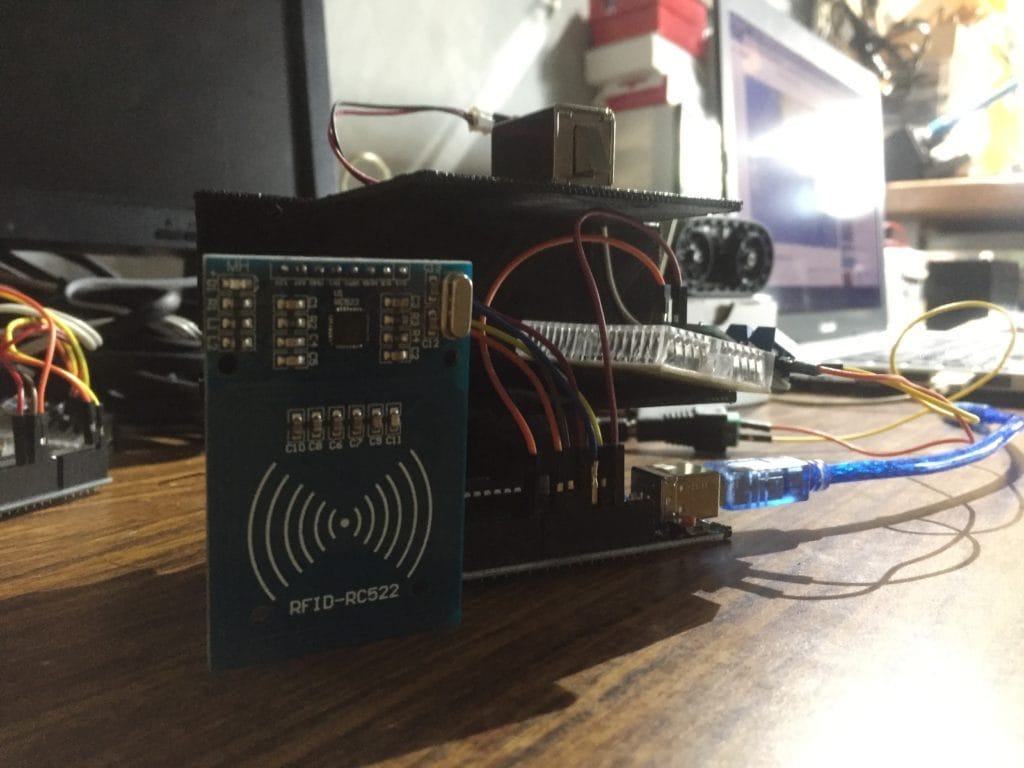
How it works
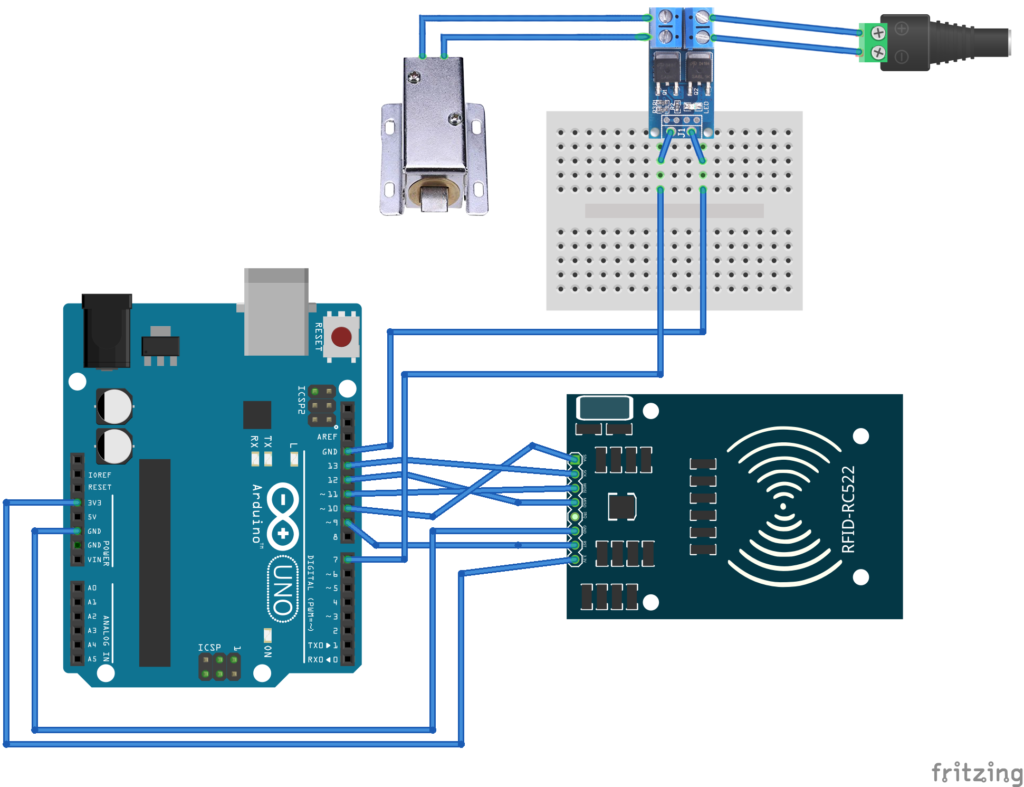
Schematic Diagram
Codes
#include <SPI.h>
#include <MFRC522.h> #define SS_PIN 10
#define RST_PIN 9
MFRC522 mfrc522(SS_PIN, RST_PIN); // Create MFRC522 instance. int mosfetpin = 7; void setup() { Serial.begin(115200); SPI.begin(); // Initiate SPI bus mfrc522.PCD_Init(); // Initiate MFRC522 Serial.println("Approximate your card to the reader..."); Serial.println(); pinMode(mosfetpin,OUTPUT);
} void loop() { // Look for new cards if (! mfrc522.PICC_IsNewCardPresent()) { return; } // Select one of the cards if (! mfrc522.PICC_ReadCardSerial()) { return; } //Show UID on serial monitor Serial.print("UID tag:"); String content= ""; byte letter; for (byte i = 0; i < mfrc522.uid.size; i++) { Serial.print(mfrc522.uid.uidByte[i] < 0x10? " 0": ""); Serial.print(mfrc522.uid.uidByte[i], HEX); content.concat(String(mfrc522.uid.uidByte[i] < 0x10? " 0": "")); content.concat(String(mfrc522.uid.uidByte[i], HEX)); } Serial.println(); Serial.print("Message: "); content.toUpperCase(); String Data = content.substring(1); Serial.print("DATA: "); Serial.println(Data); if (Data == "1BBE6A9") //change here the UID of the card/cards that you want to give access { Serial.println("Authorized access"); Serial.println(); digitalWrite(mosfetpin,HIGH); delay(5000); digitalWrite(mosfetpin,LOW); } else { Serial.println(" Access denied"); delay(3000); } Serial.println(" Access denied"); }
Frequently Asked Questions
What does this RFID Door Lock tutorial cover?
How it works Components Solenoid Electromagnetic Lock Arduino Uno NFC RFID MFRC522 Reader Kit 13.
Can I use an Arduino Nano or Mega instead of UNO for the RFID Door Lock build?
Yes. Nano shares the same ATmega328P and pinout. Mega has more I/O if you outgrow UNO. The code stays the same — just match the pin numbers used in the Sample Code section.
Why does my RFID Door Lock sketch fail to upload?
Usually wrong COM port, missing CH340/CH341 driver for clone boards, or another program holding the serial port. Disconnect the board, install the driver, reselect the port, retry.
